Pick your lead
Upload one clear photo of a person or pet. Keep the face visible, leave space around the subject and use an image you have permission to transform.
Inspired by the choir finale of Kanye West’s “Closed on Sunday,” with you at the center. Turn one photo of a person or pet into a Closed on Sunday AI video. Choose your ensemble. Let the choir do the singing.
JPG, PNG, WebP · Up to 10 MB · Each side 301–5999 px
Width ÷ height must be greater than 0.4 and less than 2.5.
Use a clear photo of one person or pet, with an unobstructed face and even light.
Your uploaded photo is automatically deleted after 24 hours. Keep sensitive details out of the frame.
Packs start at $6.99 for 100 credits: two 480p videos or one 720p video. Select your photo, choir and quality, choose a pack, then sign in with Google for secure checkout.
480p: 50 credits · 720p: 100 credits / video
Configured target: 14 seconds · 16:9
See the portrait and the complete choir video created by our team.
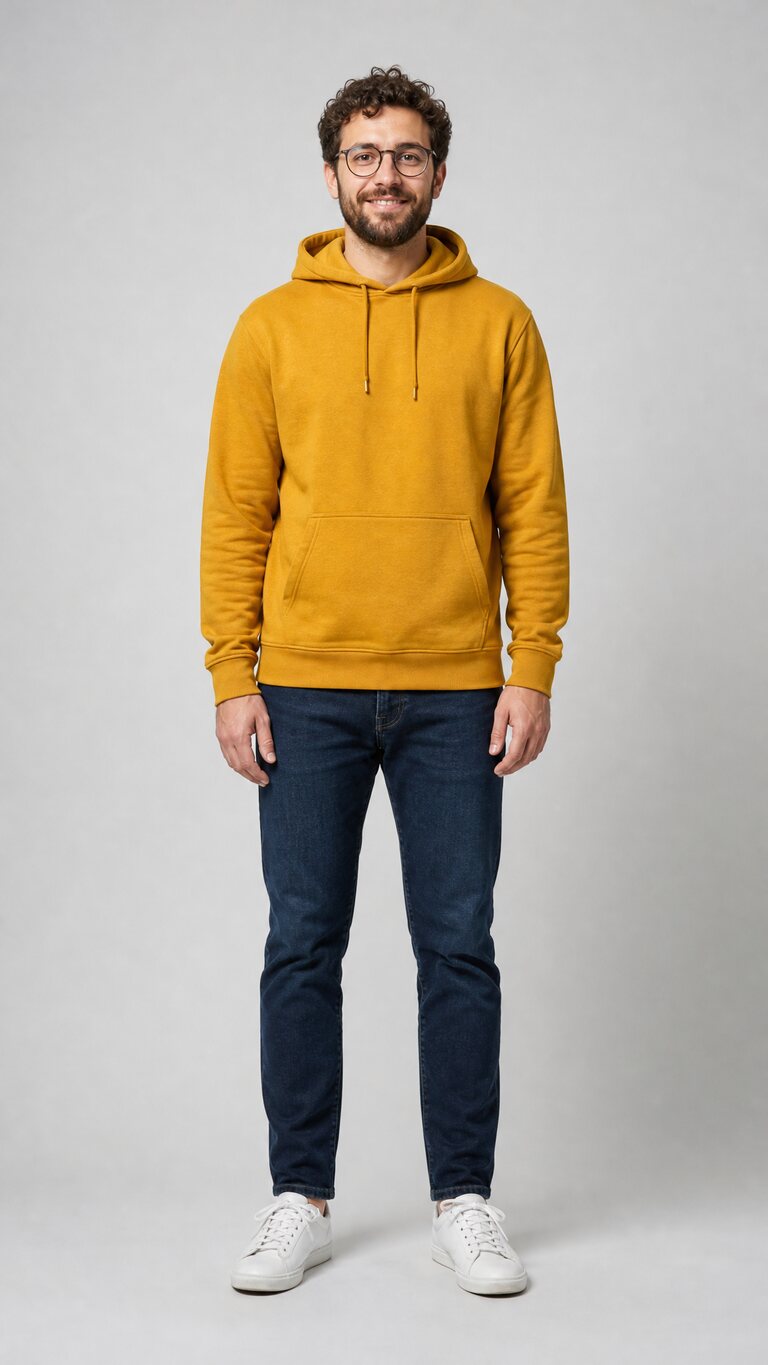
The sample portrait is an AI-generated demonstration input from our original site's collection. Our original singing-lead examples show an earlier take on the trend. The current template follows the original music-video moment: a still, silent lead while the choir sings and sways around them. The “Closed on Sunday” song excerpt from our supplied reference video is added after the visuals are generated.
Robes, cats or something a little stranger? The same Sunday setting, with 12 very different ensembles.
Meet every choirA photo, a choir and a few choices. The template brings them together.
Upload one clear photo of a person or pet. Keep the face visible, leave space around the subject and use an image you have permission to transform.
Choose one of 12 ensembles, then select 16:9 or 9:16 and 480p or 720p. 480p uses 50 credits; 720p uses 100. The charge is shown before submission.
Continue with Google and a credit pack if needed. Your photo and choices are kept in this browser. Follow the task, play the completed clip and save the MP4.
The Closed on Sunday AI effect turns a single portrait into a staged choir moment: a central subject, a warm open landscape and an ensemble arranged around them. The scene and motion come from the built-in template. Your photo supplies the person or pet, and your choir choice gives the surrounding group its character.
Start with Original robes for the classic composition, or take it somewhere playful with Cats, Dogs, Skeletons, Pumpkins, Zombies, Angels, Penguins, Frogs, Teddies, Aliens or Grandmas. All 12 are available as presets. You do not need a custom prompt, a video editor or separate clips to assemble.
A cat in the center is different from a cat choir around a person. The uploaded photo chooses the lead; the choir preset chooses the performers around that lead. Our team-created examples show both human and pet subjects with different ensembles.
Use the photo guide to check lighting, framing and face visibility. The current template follows the original music-video moment: your subject stands still and silent while the choir sings and sways around them. The song excerpt from our supplied reference video is added after rendering. Review the finished clip for facial details, framing and sound before sharing it.
The target request is 14 seconds. Landscape 16:9 gives the surrounding choir room; vertical 9:16 is an option for a portrait post. The image's own shape does not select the output format. A new format or quality is a separate generation, so choose your settings before you submit.
One-time credit packs. Each 480p video uses 50 credits; each 720p video uses 100 credits. Choose your quality before generating.
$6.99USD
Start with your first choir video.
$12.99USD
Try a few different ensembles.
$39.99USD
More photos. More creative possibilities.
You can mix 480p and 720p requests within your credit balance. The smallest catalog pack is $6.99. You can select a photo and review the generated example here; completed video generation requires credits.
Your photo, 12 choir styles, credits and the finished MP4.
It turns one person or pet photo into a choir-style AI video inspired by the choir finale of Kanye West’s “Closed on Sunday.” Your subject stands in the center of a desert-inspired scene while the selected choir performs around them.
Choose from 12 presets: Original, Cats, Dogs, Skeletons, Pumpkins, Zombies, Angels, Penguins, Frogs, Teddies, Aliens and Grandmas. Each uses the same centered choir concept with a different ensemble.
Use a sharp photo with one clear person or pet, even lighting, an unobstructed face and room around the subject. JPG, PNG and WebP up to 10 MB are accepted. Each side must be 301–5999 pixels, with a width-to-height ratio greater than 0.4 and less than 2.5.
No. Choose a photo, one of the 12 choir presets, quality and video format. The template supplies the scene, motion direction and generation instructions; you do not need to assemble separate clips.
The target is 14 seconds with 16:9 landscape or 9:16 portrait framing. Quality choices are 480p and 720p. Review the finished picture and soundtrack before sharing.
480p uses 50 credits; 720p uses 100. One-time packs are $6.99 for 100 credits; $12.99 for 300 credits; $39.99 for 1,000 credits. Making a new version uses another generation charge.
The current template follows the original music-video moment: the central subject stands still and silent while the choir sings and sways around them. Our original singing-lead examples show an earlier take on the trend. Each AI generation interprets the chosen photo and scene.
The video uses the “Closed on Sunday” song excerpt carried by our supplied reference clip. That soundtrack is added to the completed visuals after rendering; the model generates the scene and movement.
Yes, the photo input and choir template accept a person or pet as the central subject. Our team's original collection includes cat and dog examples. The input subject and the surrounding choir are separate choices.
Check the existing task first. Confirmed failed tasks return their charged credits. A processing task should not be submitted again just to refresh it. A fresh generation uses another credit charge.
Uploaded photos are deleted 24 hours after upload. Completed private videos are kept for 14 days after completion. Download your MP4 during that time. Browser drafts expire after 24 hours.
Purchases have a 7-day unconditional refund window. Contact support@closedonsundayai.net with your order reference. A cash purchase refund and the credit return for a failed task are separate processes.
You can choose a photo and settings before signing in. If you need credits, select a pack and continue through Google sign-in to checkout. The browser keeps the selected photo and choices so you can return to the generator and continue.
Once a generation starts, follow that existing task. A processing status means it is still being checked; starting another job creates another charge. Confirmed failed tasks return the credits used for that job. Our help page explains the difference between a pending task, a failed task and a purchase refund.
Uploaded photos are deleted 24 hours after upload. Completed private videos are retained for 14 days after completion, so save your MP4 during that window. Listen to the soundtrack and play the ending before posting. You can find the full pack amounts and per-quality costs on the pricing page.
Choose your photo and find the ensemble that fits.
Create my choir video